This student project reimagines the tap-to-enter experience as a clear, supportive, and accessible interface
The Compass Card tap system is one of the most frequent interactions in Vancouver’s transit experience, yet it often creates stress, uncertainty, and accessibility barriers for riders. Users must complete a time-sensitive physical interaction while navigating crowds, noise, pressure from others, and inconsistent feedback from the system.

About the project
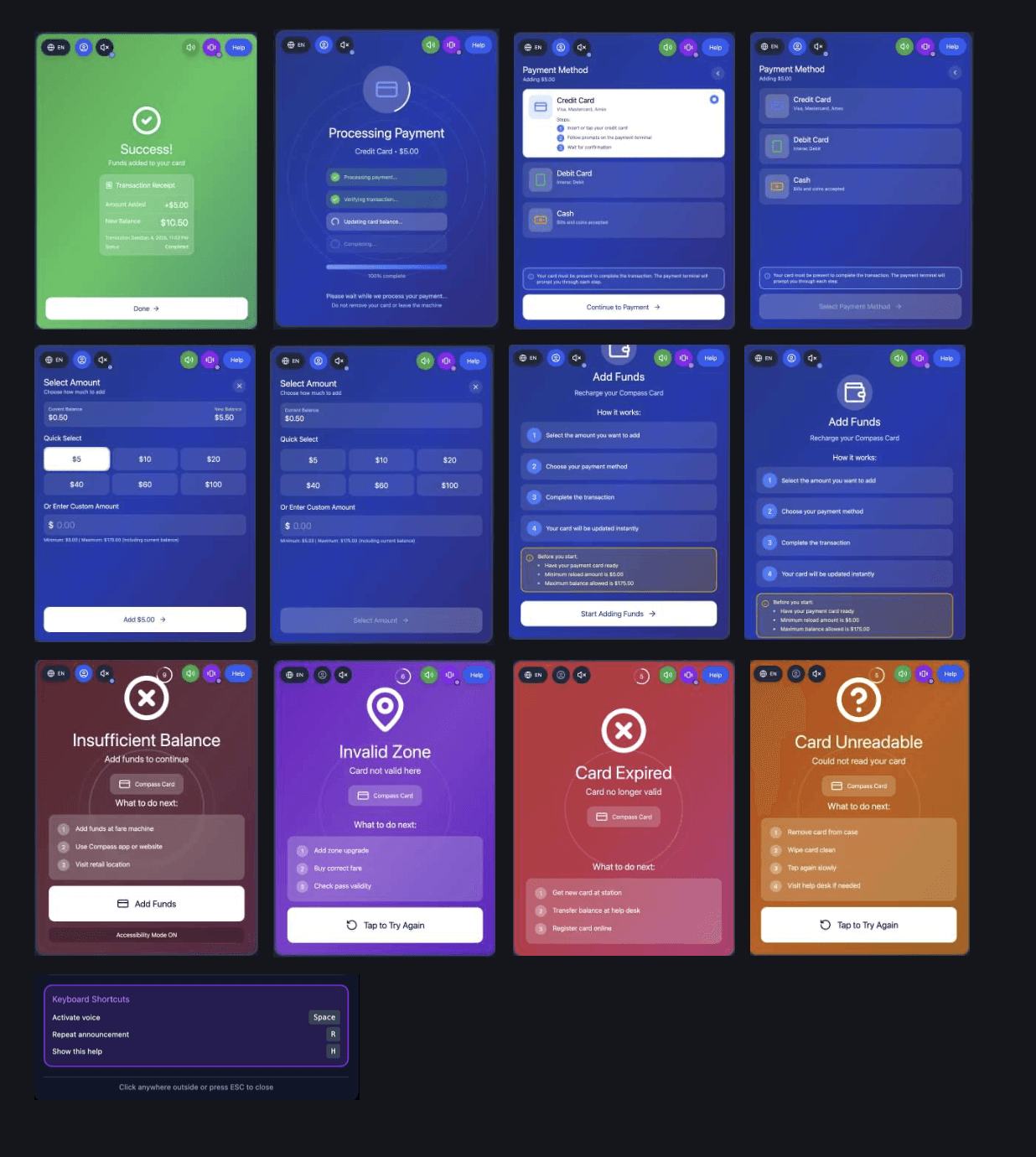
This project reimagines the tap-to-enter experience as a clear, supportive, and accessible interface that reduces cognitive load and provides strong visual, audio, and tactile confirmation.
Research & Insights
Competitive Review
Systems like PRESTO, OMNY, Octopus, Hop Fastpass, and Pronto revealed consistent issues:
Pattern | Issue |
|---|---|
Visibility of status | Feedback is delayed or unclear |
Error prevention | Mistaps and double taps common |
Recognition vs recall | Users must remember fares, caps, zones |
Consistency | App, kiosks, and readers don’t match |
Error recovery | Messages vague and unhelpful |
Insight: Transit systems optimize for transaction, not confidence.
UX Strategy Statement
Design a tap-to-enter experience that minimizes uncertainty, reduces stress, and clearly communicates success, failure, and next steps — supporting diverse physical, visual, and cognitive needs in real-world transit environments.
Challanges
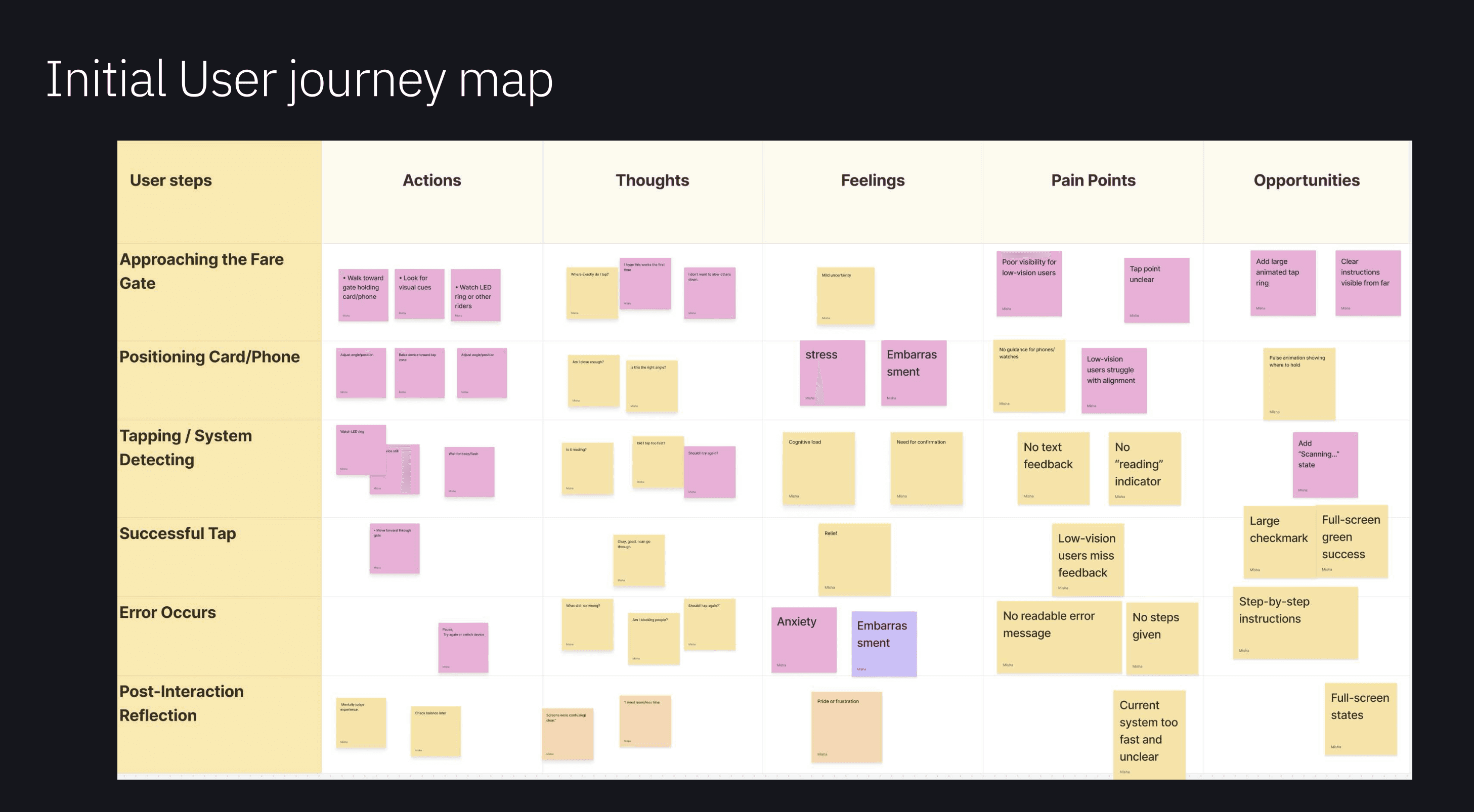
Through observation, heuristic review, and user testing, I identified that the current system often fails not because of technology — but because of uncertainty and poor communication.
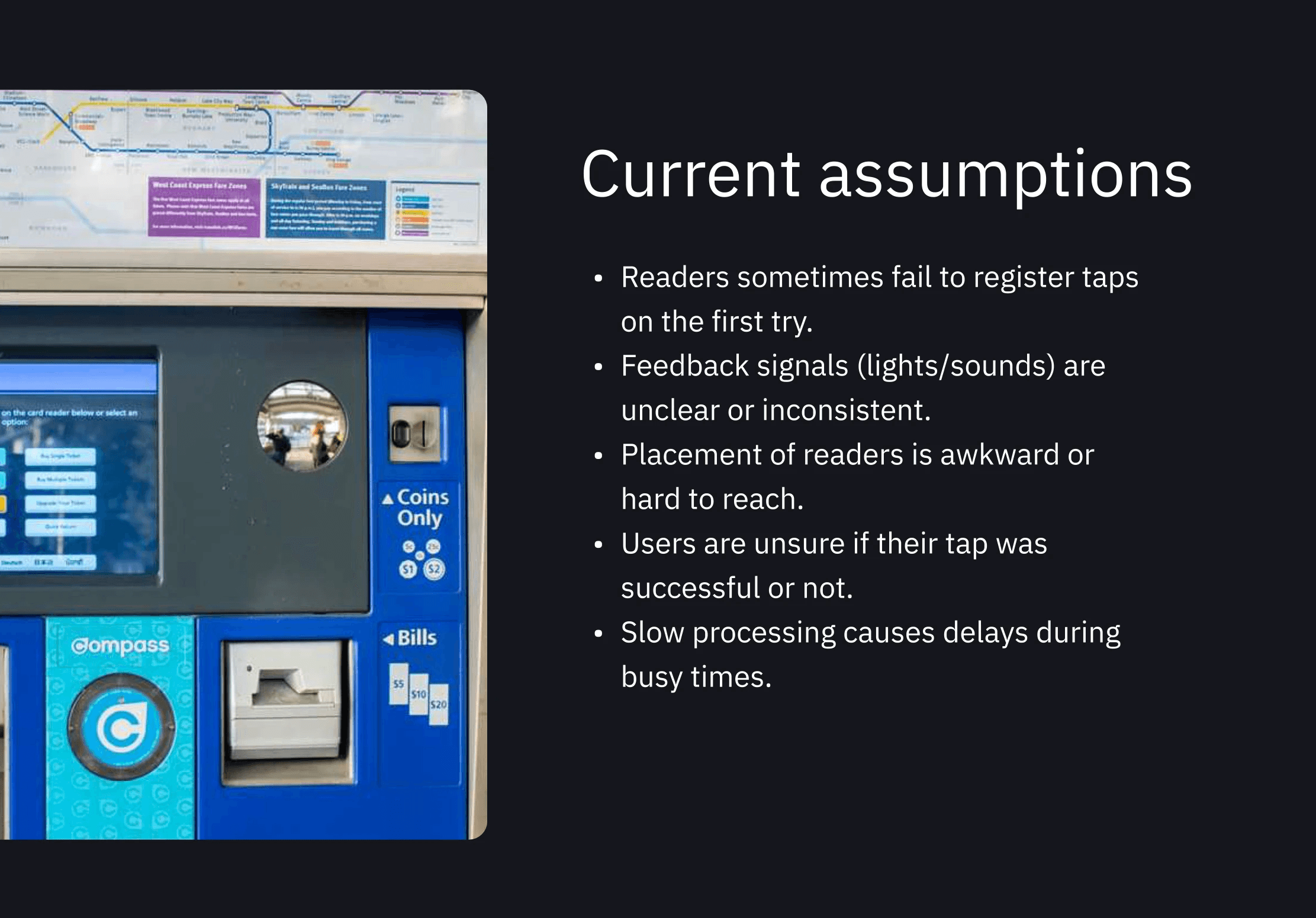
Key Pain Points
Users don’t know if their tap registered
Feedback (lights/sounds) is inconsistent or too subtle
Error states feel stressful or unclear
Screens disappear too quickly
Physical tap areas are not obvious
People feel rushed and judged when they make a mistake
Accessibility needs (motor, visual, sensory) are not consistently supported
The tap moment is not just a payment — it’s an emotional pressure point.
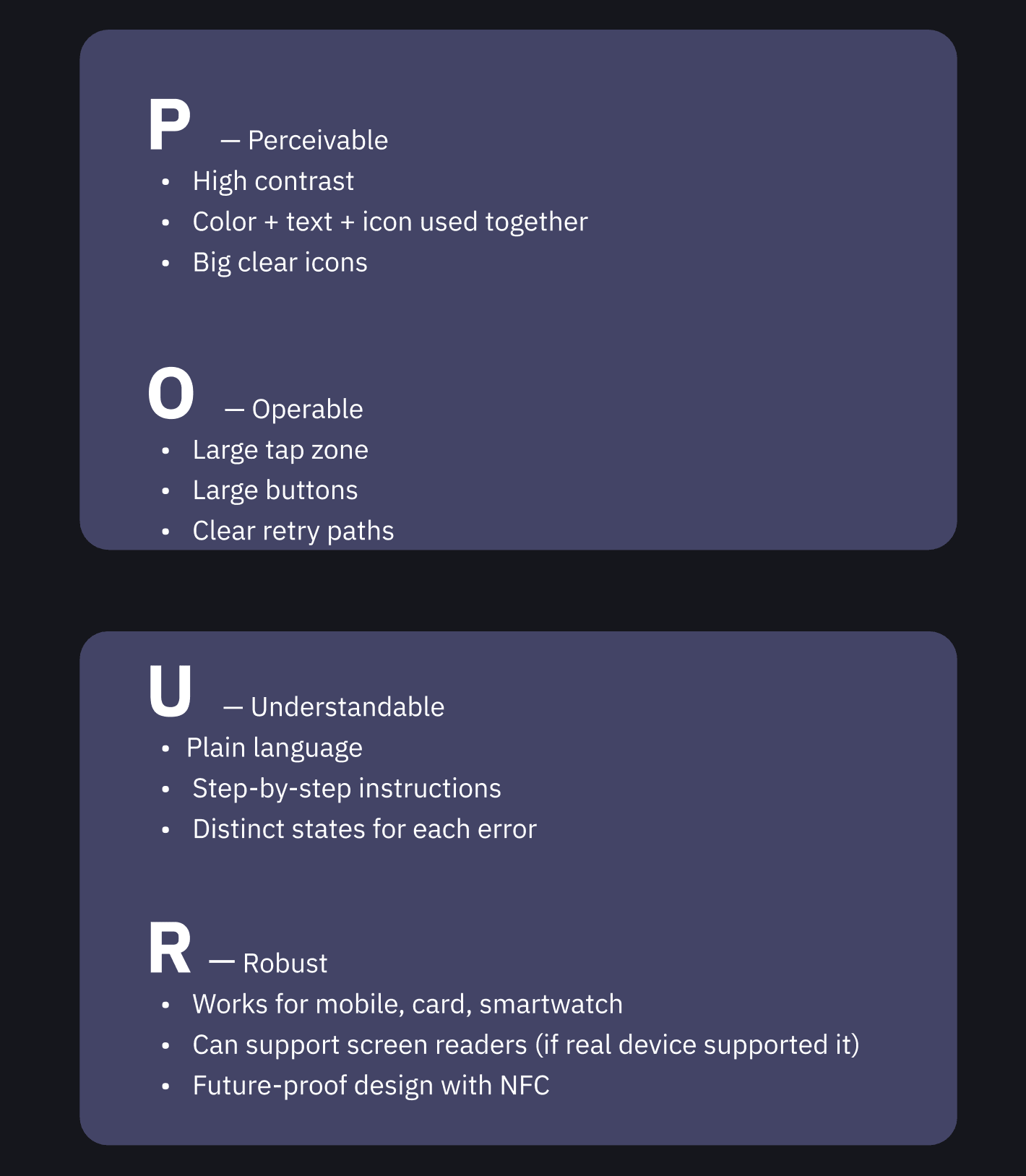
Design principles
User Testing Findings
What Worked
Large tap area was instantly understood
Clean layout reduced stress
Green success state felt like “relief”
Accessibility Mode felt calmer and easier
Icons clarified device options
Pain Points Discovered
Error screens too bright
Text too long
Screen durations too short
Confusion about which devices can tap
Iterations Made
Softer error colours
Shorter instructions
Added countdown timer
Larger device icons + labels
Directional cues after success (“Proceed →”)
DISCOVER MORE